





Classroom Spotlight: Learning in Action
September 10, 2026
Business Essentials (1st, 5th and 6th Hour)
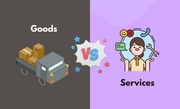
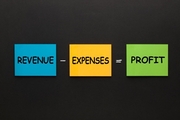
- Students began the course by learning the basics of business and economics. Including the role businesses play in society, how businesses make a profit, and the difference between goods and services.
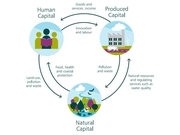
- Students learned about wants, needs, and limited resources. They explored the three types of economic resources: which are natural, human, and capital.
- Students also looked at how businesses must make decisions about how to best use their available resources.
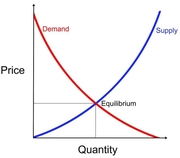
- Students have been learning how competition, supply, and demand affect businesses and consumers. They explored these topics through class discussions, worksheets, and activities.
- Students applied these concepts to real-world situations and practiced making informed business and consumer decisions.
7th Grade Computer Applications (3rd and 4th Hour)
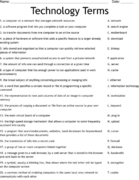
- Students start each week with a list of 10 computer terms to type and review throughout the week. On Fridays, students take a quiz over those same terms.
- Students use Typing.com for daily bell work to improve their typing speed, accuracy, and overall keyboarding skills.
- Students participated in an Internet scavenger hunt to familiarize themselves with the computer, Microsoft applications and the school’s website.
- Students have been working on various Word and Excel lessons to gain hands-on experience with each application. These lessons are preparing them for future courses and workplace readiness.
- Students are continuing to build their computer knowledge through a variety of hands-on activities. These activities allow students to practice following directions, completing tasks independently, and becoming more confident using technology.
8th Grade Computer Applications (7th Hour)
- Students started the course by creating a “Get to Know You” infographic project. Students used their creativity and computer skills to design an infographic about themselves. Students then presented their finished projects to the class.
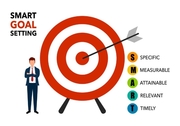
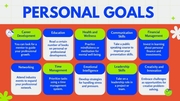
- Students created a Personal Goals Project that encouraged them to think about and identify goals they would like to accomplish throughout the school year.
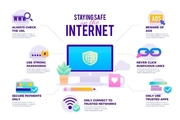
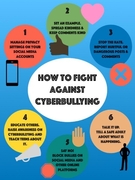
- Students learned about internet safety and cyberbullying through class notes, presentations, and discussions. Students also worked through real-world scenarios to determine how they would respond to different online situations.
- Students participated in several activities focused on online safety. Including an internet safety and cyberbullying scavenger hunt. Identifying whether different online situations were safe or unsafe.
- These activities allow students to use their computer skills to create projects for a specific purpose and audience.
